
SEOquake is a browser extension for quick page-level SEO checks, SERP comparisons and link analysis. This review explains the features described in the existing official-public-page check, not a new installation or firsthand test.
Recorded details and original demonstration
The material in this section is dated 2026-11-08. Prices, commissions, availability, product features and screen layouts are recorded information, not newly verified current terms. Check the provider’s current information before using a tool or joining a programme.
Public-page check — . This update checks official public pages only. It is not firsthand testing by Craig: no product account, affiliate campaign, payment withdrawal or extension installation was tested. The original publication date and web address are unchanged.
Quick answer: SEOquake is a free browser extension for quick page-level SEO checks, SERP comparisons and link analysis.
It is useful for fast first looks, but its metrics still need checking in context.
SEOquake is a browser extension for quick page-level SEO checks and comparisons. This update describes features advertised in its official public guide, not results from installing or running the extension. It separates provider metrics from verified evidence about a website.
SEOquake Review
The official welcome guide advertises an SEO overview, SERP competitor analysis, keyword difficulty and internal/external link analysis. Its welcome screen says “You’ve just installed SEOquake”, but that is standard website copy: this screenshot was captured without installing the extension.
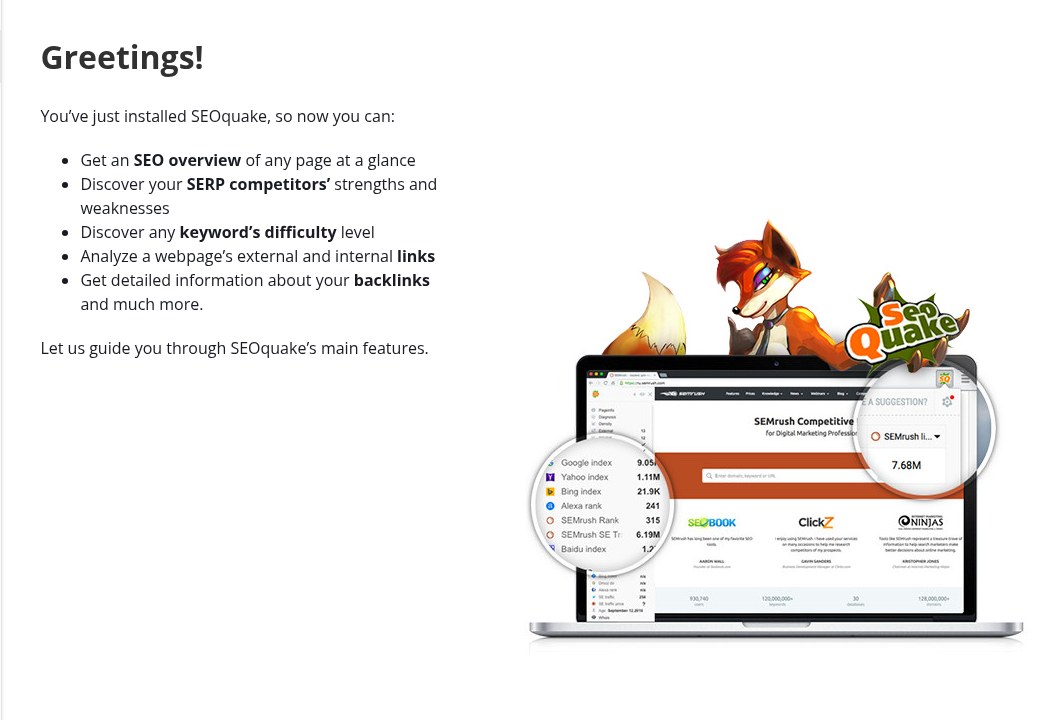
What the advertised features are useful for
- SEO overview / SEObar: a quick starting point for inspecting a page and available metrics.
- SERP overlay and URL comparison: organise competitor comparisons; do not treat the overlay as proof of why a result ranks.
- Internal and external link analysis: inspect links on the page. These are not a complete site crawl or a complete inventory of inbound backlinks.
- Keyword-density reporting: identify repeated terms and their placement. A percentage is not a target that guarantees rankings.
- On-page Diagnosis: highlight page-level items for investigation. Findings still need checking in context.
The original text incorrectly referred to “Google Chrome Console”; SEOquake is a browser extension, not a Chrome developer-console integration. Old lists of Facebook likes, Pinterest counts, Google cache dates and legacy ranking metrics are not retained as guaranteed current features. Public guides can include historic examples, so confirm parameter availability in the version you install.
How to install SEOquake
Use the installation links reached through the official SEOquake website or guide, then inspect the browser store listing, publisher, supported browser version and requested permissions before installing. Store availability and requirements can change. This update did not test installation on Chrome, Firefox or Opera, so it does not promise compatibility with all three.
How to turn off SEOquake
Manage an installed extension through your browser’s extension settings. Disabling it and removing it are different actions: disabling normally leaves the extension installed, while removal uninstalls it. Exact menu labels depend on the browser and version. This procedure was not exercised as part of the public-page check.
SEOquake pricing — how much does SEOquake cost?
Official pages describe the extension as a free browser toolbox. Some deeper reports or metrics refer to Semrush and may have separate account requirements or limits. A free extension does not imply unlimited access to every linked provider report.
The original “first 100 pages of audit are free” assertion is not substantiated by the official extension pages checked and has been removed. Do not confuse page-level extension checks with a separate whole-site audit product.
SEOquake pros, limitations and interpretation
- Potential advantage: bring several page checks and comparison views into a browser workflow without a separate manual spreadsheet for every page. That is an advertised capability, not a measured time saving.
- Third-party metrics are not your own analytics. Semrush traffic estimates and keyword-difficulty scores are estimates, not Google ranking factors or guaranteed outcomes.
- Missing data is not automatically zero traffic, zero backlinks or a penalty. Provider coverage, caching, request limits and account access can affect results.
- A link report does not decide whether a backlink is safe, valuable or worth buying. Inspect relevance, placement and the surrounding site yourself.
- A page-level check cannot replace a site crawl, indexing review, performance measurement or analysis of your own search data.
The accuracy of a particular result was not tested. Cross-check important findings against the page itself and your own verified analytics or search-performance data before taking action.
SEOquake Alternatives
Choose an alternative around the job you need done: metadata inspection, page link checks, whole-site crawling or backlink research. Botify and SEOlyzer cover different workflows. The original competitor pricing and free-feature claims have not been verified in this update and are not repeated as current comparisons.
Frequently Asked Questions
How accurate is SEOquake?
There is no single accuracy guarantee for all its checks. Direct observations of page elements and third-party estimates are different kinds of evidence. This public-page check did not benchmark either; validate important results before acting.
Where can I find an SEOquake tutorial?
Start with the official welcome guide and its feature sections. Treat examples as documentation, not evidence that every historic metric still works in a current installation.
Was this review based on firsthand testing?
No. The 8 November 2026 update checks official public pages and includes a dated screenshot of the public guide. No extension installation, audit run or metric comparison was performed.
For a wider review of your SEO priorities, send Craig an enquiry.
Use the internal-linking guide and technical audit guide to put a tool’s findings into context. For a site-specific review, request an SEO audit.